

What we do not claim
WatchMyCover is not SOC 2 certified and not ISO 27001 certified. No third-party penetration test has been carried out. If your procurement process needs a certification, we do not have one to give you.What is in place
One customer cannot reach another
One customer cannot reach another
Every request is scoped to your organization, re-read from the database each time, and cross-organization access is covered by tests.
Documents are private
Documents are private
Certificate files are held in a private bucket with no public addresses. Every view and download goes through the app, is checked against your organization at that moment, and is recorded in the activity log. Only PDF, PNG and JPEG files are accepted, judged by their contents, up to 10 MB. The preview you see in the app is drawn by the app from the file; the file is never opened as a web page.
Confirmed addresses and two-factor sign-in
Confirmed addresses and two-factor sign-in
Accounts confirm their email address before using the app. Anyone can turn on two-factor sign-in with an authenticator app and ten single-use backup codes, and the owner can require it for the whole team; five wrong codes lock the account for 15 minutes. A new password is refused if it appears in a known data breach; only the first five characters of a scrambled copy of it are sent, to the Have I Been Pwned service, to check. If that service does not answer within a few seconds, the password is accepted on its other rules.
Sessions
Sessions
Session cookies are httpOnly and secure. A session lasts seven days and is renewed while you keep using the app. Permissions are re-read on every request, so removing someone takes effect immediately. A password reset link works once, expires after an hour, and signs out every other session.
An audit trail
An audit trail
Every change is recorded: subcontractors, certificates, templates, projects, the team, share links, chasing, sign-ins, password and two-factor changes, document downloads and register exports. See Activity log.
Links that are credentials
Links that are credentials
Upload links, report links and invitations are long random tokens; only a hash is stored. Upload links in chase emails are created as each email is sent and work for 60 days; one you issue by hand works for 30. Each accepts up to 20 files. Any upload link can be withdrawn on its own from the subcontractor’s page, and archiving a subcontractor withdraws them all. Report links expire within a year (7, 30 or 90 days, or a date you choose) and can be revoked; upload and report links stop if the account is canceled.
Rate limits and input checks
Rate limits and input checks
Sign-in, registration and password reset are rate limited, as are reads, writes, imports and exports. Every request is validated. Imports are capped at 4 MB (an Excel file is measured after it is read as CSV) and uploaded files at 10 MB.
Exports cannot run formulas
Exports cannot run formulas
A CSV cell beginning with a formula character is escaped, so an exported register cannot run a formula when opened.
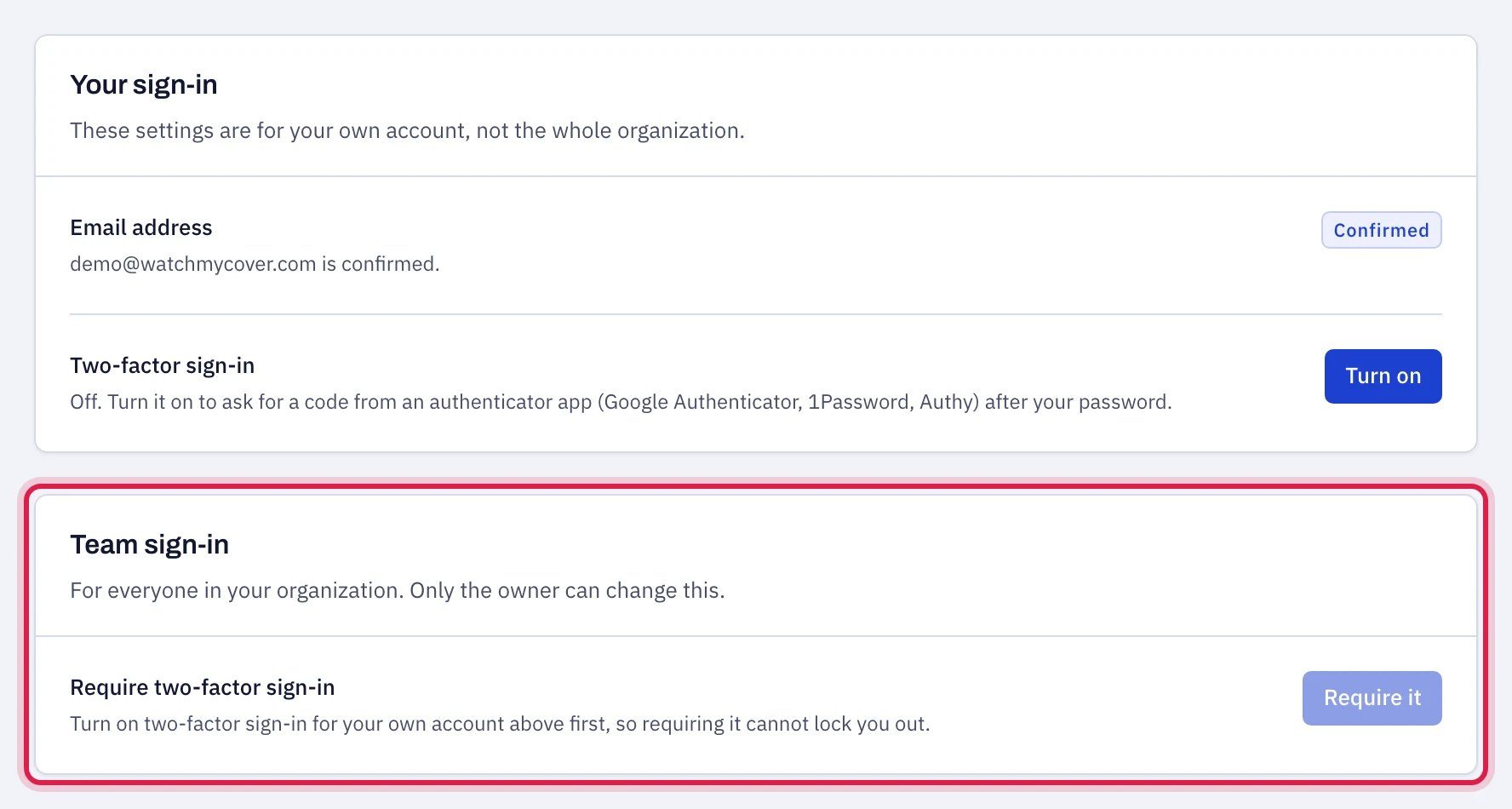
Two-factor sign-in can be required for the whole team.
What is not in place yet
- Roles are broad. Any member can import subcontractors, archive them and export the whole register. See Team and roles.
- Inline styles are allowed by the browser security policy.
- Read state is shared. A notification or a received certificate marked read by one person is read for the whole team.
Privacy in brief
- What is collected: your name, work email and company; what you enter (subcontractors, contacts, insurers, policies, limits, dates, templates, projects, verdicts); certificate documents you or your subcontractors upload; sign-in records, audit rows and server logs.
- Your subcontractors’ data is held on your behalf and used only to do what you asked: check certificates, email for renewals, produce the reports you share. It is not used to market to them.
- Not sold, not shared with advertisers. There are no advertising trackers.
- Analytics: PostHog, US-hosted, with no cookie, no browser storage, no session recording and no automatic capture of clicks or typing. Events carry identifiers, counts and statuses only, never names, email addresses, certificate values or document contents. Pages whose address carries an upload, report, invitation or reset token send nothing.
- Service providers: Vercel, Render, Neon, Resend, PostHog, Anthropic, Dodo Payments (which sells the subscription, takes the payment and handles the tax on it), Google (address suggestions) and Mintlify (these help pages). Anthropic is used for two things. It reads a flat or scanned certificate (PDF, PNG or JPEG) into the certificate form: when you upload it there, or when you choose Record it on a file a subcontractor sent. It reads an endorsement form when you choose Endorsement form beside a file, and it takes a first look at a file a subcontractor sends through their upload link, so the page can tell them what still appears short. A fillable ACORD 25 is read without it. It also answers what you type into the chat: Help in the app, and the chat on the website. Your messages go to Anthropic with these help pages. On the website, nothing from any account goes with them. In the app, when you ask about your own register, what the assistant looks up to answer goes too: subcontractor names, statuses, findings, limits and dates, never email addresses, phone numbers or documents. The owner can switch that off under Settings → Export & sharing. We keep each chat, with your name, email, company, an approximate location and any rating you give it.
- Retention: superseded certificates are kept, because the history is what an audit asks for. Ask us to delete a closed workspace and we remove it, including documents, within 30 days, except what we are legally required to keep.