

1. Requirements
A requirement template is your subcontract’s insurance article, written down once: which coverages are mandatory, the minimum each-occurrence and aggregate limits, and which endorsements the contract demands. You assign one template to each subcontractor. A subcontractor with no template cannot be judged, and shows as Non-compliant until one is assigned.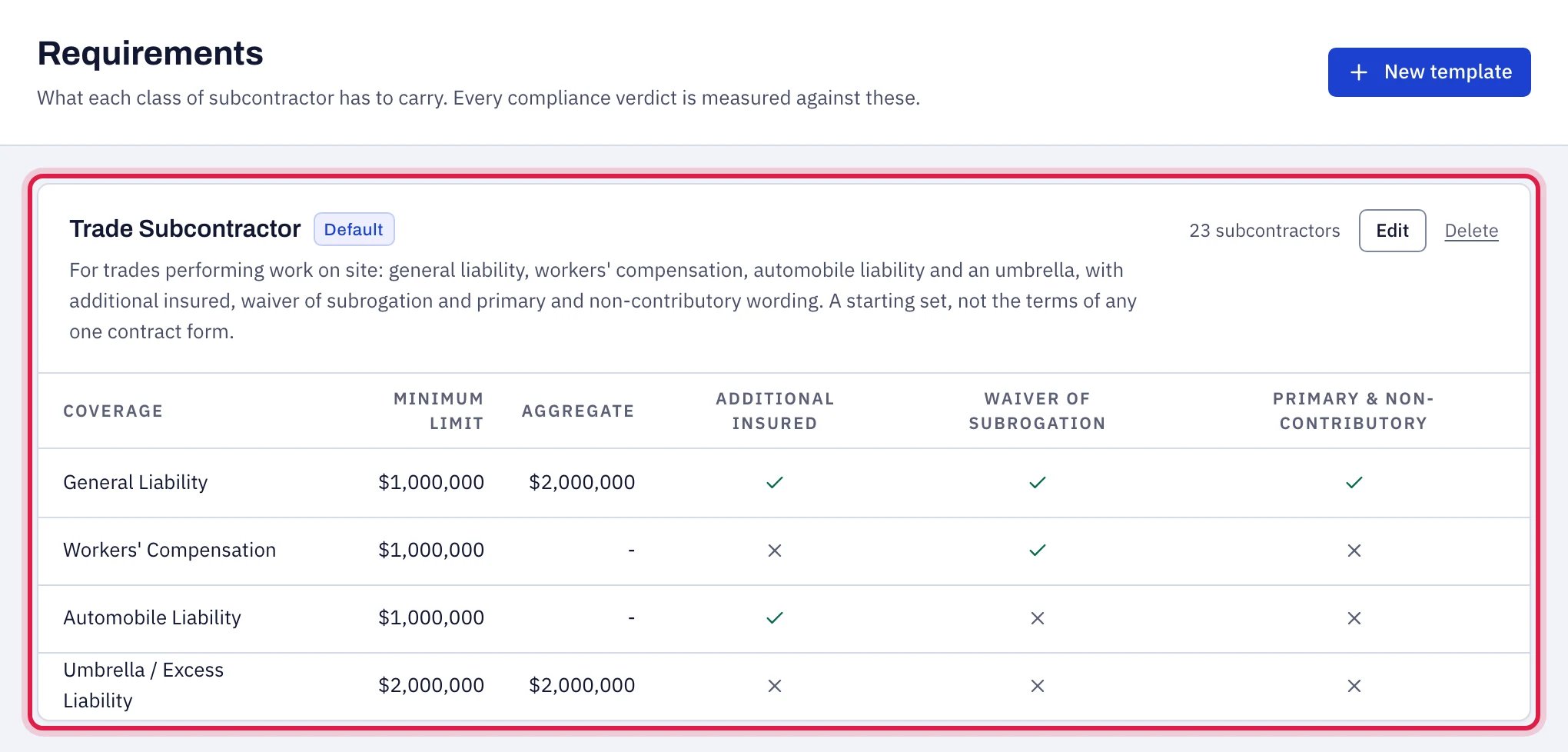
Step 1: your requirements, written down once as a template.
2. Certificate data
Someone on your team records the certificate (usually an ACORD 25): insurer, issue date, and for each coverage the policy number, limits, effective and expiry dates, and how each endorsement is evidenced. WatchMyCover can fill the form in from the certificate PDF, and a person checks every value before it is saved. Data can also come from a CSV or Excel import. A subcontractor can have several certificates in force at once, for example general liability and workers’ compensation from different carriers, or a renewal recorded before the old policy ends. Each coverage is judged on the policy in force today. See Renewals and several certificates.3. Rules
The same checks run on every subcontractor, in the same order, whenever something changes (a certificate recorded, a template edited, a setting changed), when you ask for a re-check, and once a day, in the hour the day begins in your time zone, so an expiry is noticed on the day it happens. Dates are judged on the calendar day in your organization’s time zone. The checks, all explained in Every finding explained:- Is a template assigned, and is there a certificate at all?
- Is the certificate older than 365 days, or dated in the future?
- For each coverage the template lists: is it on the certificate; is it in force today; is it expiring inside your warning window; are the limits at or above the minimums; is each required endorsement evidenced, and how?
- Is anything carried that the template does not ask for? (Kept on the record; it has no effect on the verdict.)
4. Verdict and findings
The findings decide one of five statuses: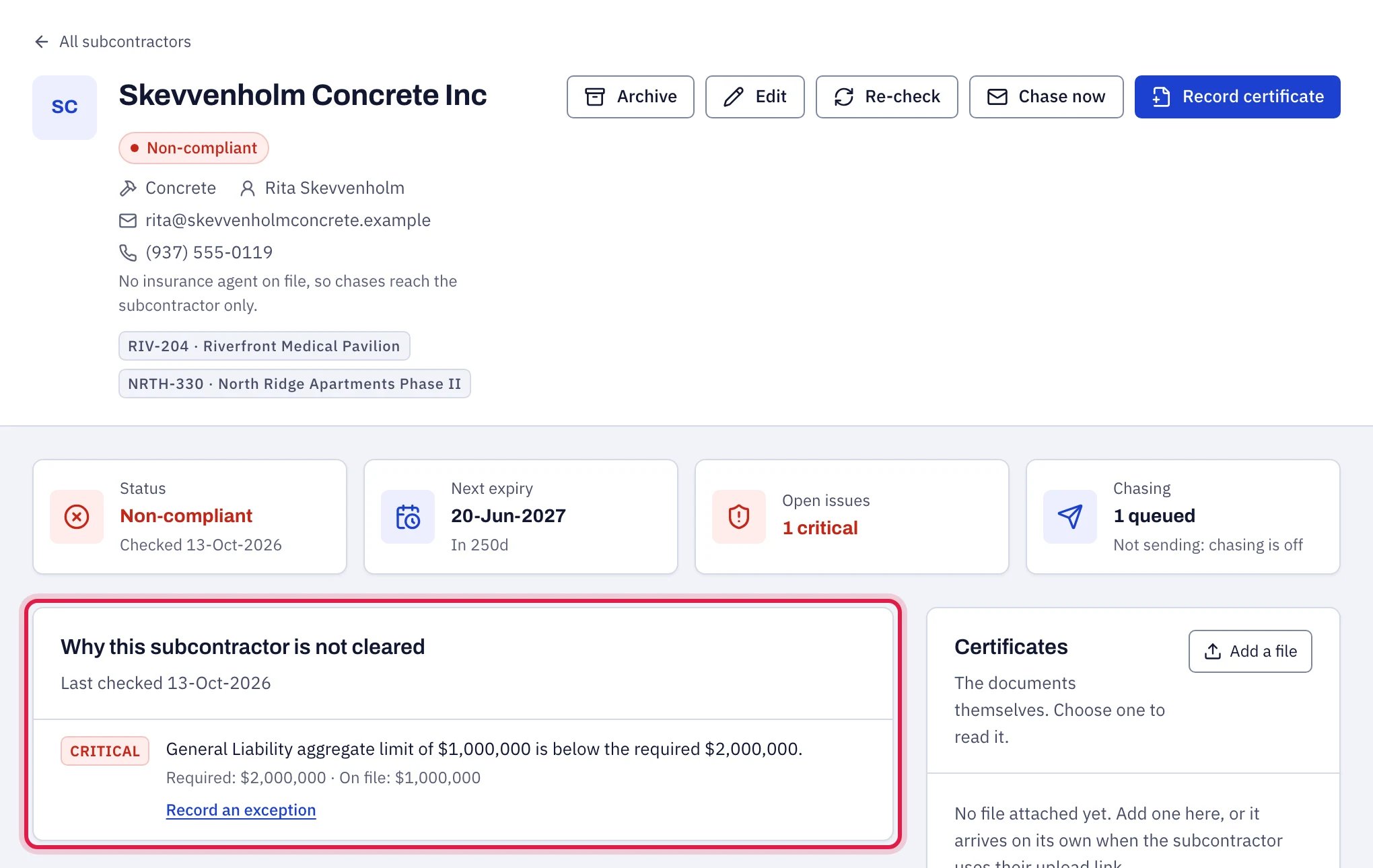
Step 4: the verdict, with the finding that explains it.
5. Action
What happens next depends on the finding:- An upcoming expiry is chased on a ladder: 30, 14, 7 and 1 days before unless you set your own, then on the expiry date and weekly for four weeks while it stays expired.
- A gap (missing coverage, short limit, missing endorsement, no certificate) is chased straight away.
- A question (an endorsement only stated on the certificate, a certificate over a year old) is chased with a request for the documents that settle it.
- A certificate sent back through the upload link waits on the subcontractor’s page for someone to read it and record it.
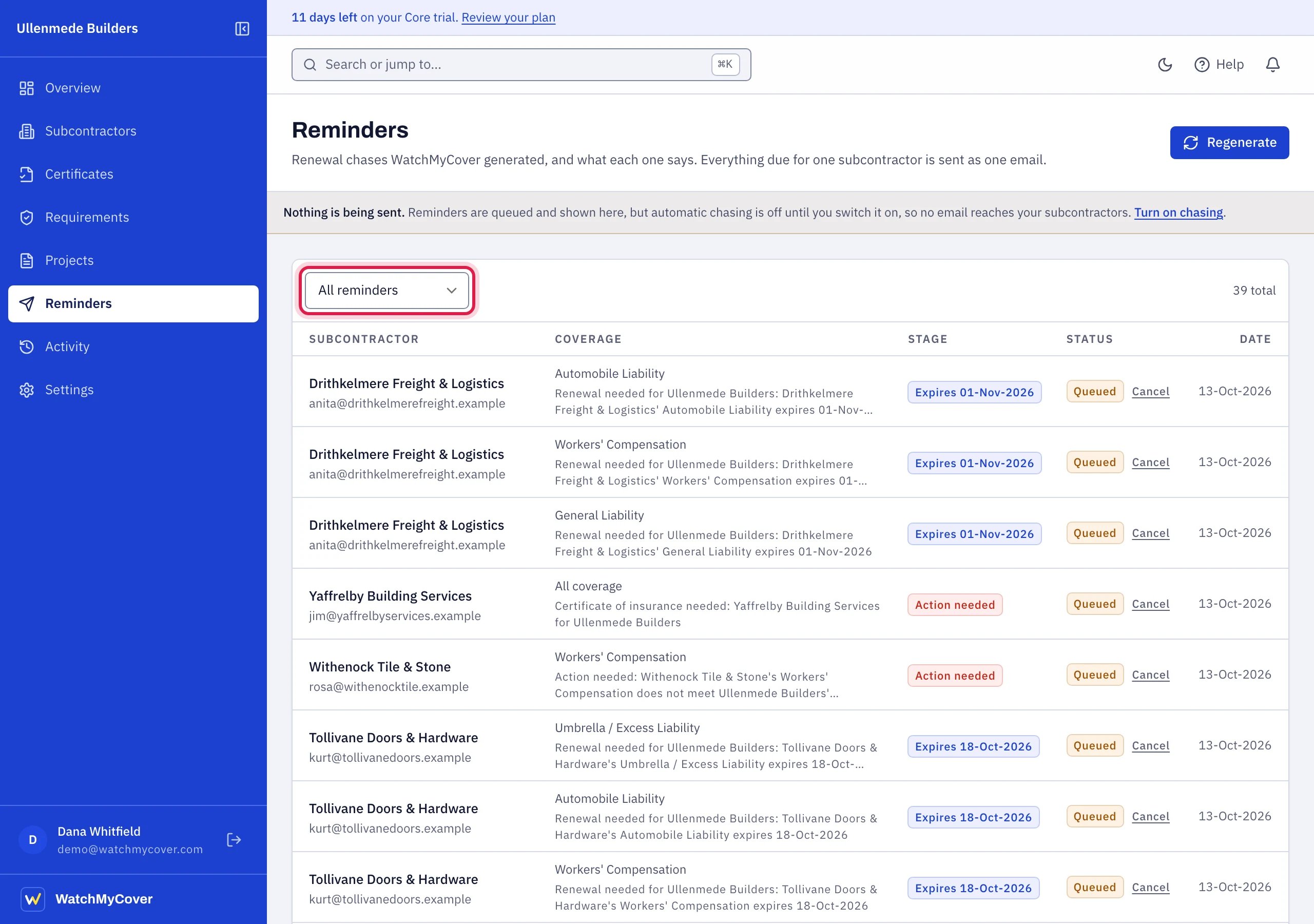
Step 5: the reminders queued for each finding, listed under Reminders.
References
- Certificate of insurance. IRMI glossary definition.
- Avoiding Common Insurance Certificate Errors in Contracting Services. IRMI commentary.